HOW TO FIND
THE CUSTOMER ID
1.
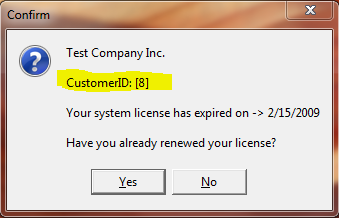
If your software has expired you should see the following
message
(we have highlighted the Customer ID section) - the number 8 is for
test purposes and is not your number:
2.
If your system is active just open the software and you will
see
the registered company name and Customer ID in the upper left hand
corner of the software - the number 8 is for test purposes and is not
your number:
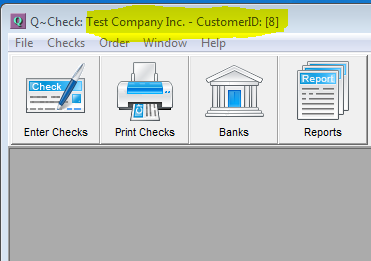
So in both cases here the
Customer ID is the number 8
|